
Social Media Content Calendar
Learn how to create a social media content calendar in just 30 minutes with our step-by-step guide. Includes free templates and proven strategies for consistent posting.
DIGITAL MARKETING - AN AI APPROACH
ncsreedhar@whatzonn.com
2/5/20266 min read
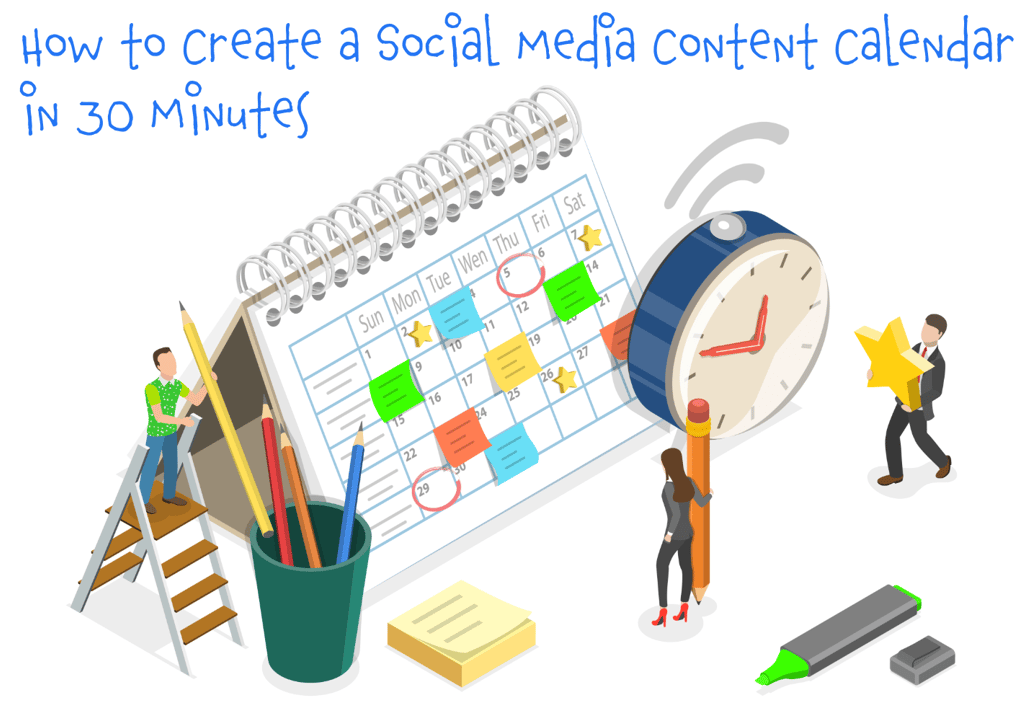
Struggling to post consistently on social media? Spending hours every week scrambling for content ideas? You're not alone.
Most businesses and creators know they should plan their content ahead—but the thought of creating a content calendar feels overwhelming. The good news? It doesn't have to be.
In this guide, I'll show you exactly how to create a social media content calendar in just 30 minutes. No complicated tools required. No content marketing degree needed. Just a simple, repeatable process that works.
Let's dive in.
What Is a Social Media Content Calendar?
A social media content calendar is a schedule that outlines what you'll post, when you'll post it, and on which platforms. Think of it as your content roadmap—it keeps you organized, consistent, and strategic.
What it includes:
Post dates and times
Platform (Instagram, LinkedIn, TikTok, etc.)
Content type (carousel, video, story)
Post copy or caption
Visuals or links
Hashtags or keywords
Campaign or theme
Instead of panicking at 9 PM because you haven't posted today, you'll know exactly what goes live and when.
Why You Need a Content Calendar (Even If You're "Too Busy")
1. Saves Time Planning your content in batches saves hours every week. You're not constantly context-switching or searching for ideas.
2. Maintains Consistency The algorithm rewards consistent posting. A calendar ensures you never ghost your audience for two weeks.
3. Improves Content Quality When you plan ahead, you have time to create thoughtful, strategic content—not rushed posts that fall flat.
4. Reduces Stress No more last-minute panic. You'll feel in control of your social media presence.
5. Enables Strategic Thinking You can align your content with product launches, holidays, trends, and business goals.
The 30-Minute Content Calendar Method
Here's the exact process I use to create a month's worth of content in 30 minutes.
Minute 1-5: Choose Your Tool
You don't need fancy software. Pick ONE of these:
Option 1: Google Sheets (My favorite—free, flexible, shareable)
Create columns: Date, Platform, Content Type, Caption, Visual, Link, Status
Color-code by platform or content type
Share with team members if needed
Option 2: Notion (Great for visual thinkers)
Use a calendar database view
Add properties for platform, status, content type
Drag and drop to reschedule
Option 3: Trello (Best for collaborative teams)
Create lists for each week or platform
Each card = one post
Move cards through stages (Idea → Draft → Scheduled → Published)
Option 4: Dedicated Tools (Worth it if you post frequently)
Later (free plan for 10 posts/platform)
Buffer (simple scheduling)
Hootsuite (robust for agencies)
Pro tip: Start simple. You can always upgrade later. For this 30-minute method, I recommend Google Sheets.
Minute 6-10: Define Your Content Pillars
Content pillars are the 3-5 main topics you talk about. They keep your content focused and aligned with your brand.
Example for a Digital Marketing Agency:
Social Media Tips (40%)
SEO & Website Optimization (30%)
Client Success Stories (15%)
Behind-the-Scenes/Culture (10%)
Industry News & Trends (5%)
Example for a Fitness Coach:
Workout Tips & Demonstrations
Nutrition & Meal Ideas
Mindset & Motivation
Client Transformations
Day-in-the-Life Content
Your turn: Write down 3-5 topics you want to be known for. These become your content buckets.
Minute 11-15: Decide Your Posting Frequency
Be realistic. It's better to post 3x/week consistently than to plan 2x/day and burn out by day 5.
Recommended frequencies by platform:
Instagram: 3-5 posts/week + 5-7 stories/day
LinkedIn: 3-5 posts/week
TikTok: 3-7 videos/week (more = better for growth)
Twitter/X: 3-10 tweets/day
Facebook: 3-5 posts/week
Pinterest: 5-10 pins/day (batch with scheduling tool)
Beginner sweet spot: Start with 3 posts per week on 1-2 platforms. You can scale up later.
Minute 16-25: Fill Your Calendar (The Fastest Method)
Now comes the fun part—filling in your calendar. Here's the brain-dump approach:
Step 1: Set up your calendar structure
If posting 3x/week, mark your posting days (e.g., Monday, Wednesday, Friday)
Do this for the entire month (12 posts if 3x/week)
Step 2: Assign content pillars Using your pillars, rotate through them. For 12 posts:
Pillar 1: 5 posts
Pillar 2: 4 posts
Pillar 3: 2 posts
Pillar 4: 1 post
Step 3: Brainstorm specific post ideas Set a timer for 10 minutes. Brain-dump post ideas as fast as you can.
Quick idea generators:
"How to [solve problem]"
"5 mistakes people make with [topic]"
"Here's what I learned from [experience]"
"My honest review of [tool/product]"
"The truth about [misconception]"
"Behind the scenes of [process]"
"This changed my [result]"
Repurpose your best-performing content
Answer common customer questions
Share a mini case study or win
Step 4: Drop ideas into calendar Place each idea on a specific date. Don't overthink it—you can move things around later.
Minute 26-30: Add Key Details
For each post, quickly note:
Platform: Instagram, LinkedIn, etc.
Content type: Carousel, video, single image, text post
Hook or caption idea: Just 1-2 sentences (you'll write full captions later)
Visual needed: Photo, graphic, video clip
You don't need to write full captions or create visuals now. This is just your roadmap.
Content Calendar Template (Copy This!)
Here's a simple Google Sheets template structure:
Date Day Platform Content Type Topic/Hook Caption Draft Visual Hashtags Status Feb 10 Mon Instagram Carousel 5 social media mistakes "Are you making these mistakes? Here's what to fix..." Design in Canva #SocialMediaTips Drafted Feb 12 Wed LinkedIn Text post Case study: 300% growth "Here's exactly how we grew..." Screenshot of analytics None Scheduled Feb 14 Fri Instagram Reel Behind-the-scenes "Come create content with me..." Phone video #ContentCreator Idea
Status options: Idea → Drafted → Approved → Scheduled → Published
Content Batching: The Secret to Staying Ahead
Once you have your calendar, use "batching" to create content efficiently:
Writing Day (1-2 hours):
Write all captions for the week/month
Draft email newsletters
Outline blog posts
Design Day (1-2 hours):
Create all graphics in Canva
Edit videos in CapCut or InShot
Prepare carousel posts
Scheduling Day (30 minutes):
Upload everything to your scheduling tool
Double-check times and copy
Set it and forget it
This approach is 10x more efficient than creating content daily.
Content Ideas Library: Never Run Out of Posts
Build a running list of content ideas so you always have backup:
Evergreen Content (Always Relevant):
How-to tutorials
Tips and tricks
Common mistakes to avoid
Tools and resources you recommend
FAQ responses
Timely Content:
Industry news reactions
Holiday posts
Seasonal content
Trending topics
Current events in your niche
Engagement Content:
"This or that" questions
Polls and surveys
Fill in the blank
Tag a friend posts
Caption this photo
Personal/Brand Content:
Behind-the-scenes
Team spotlights
Your why/mission
Milestones and wins
Client testimonials
Pro tip: Every time you think "that would make a good post," add it to your idea list immediately.
Tools to Make Your Life Easier
Free Tools:
Google Sheets: Calendar creation
Canva: Graphics and carousel designs
CapCut: Video editing
Later (free plan): Instagram scheduling
Buffer (free plan): Multi-platform scheduling
Paid Tools Worth It:
Metricool ($20/month): Schedule to all platforms + analytics
Tailwind ($15/month): Pinterest automation
Hootsuite ($99/month): Team collaboration
Canva Pro ($13/month): Brand kit, premium templates
AI Helpers:
ChatGPT: Caption ideas, content variations
Copy.ai: Generate hooks and captions
Jasper: Long-form content
Common Mistakes to Avoid
1. Over-planning Don't spend 3 hours perfecting your calendar. Get it 80% done and start posting.
2. Being too rigid Your calendar is a guide, not a prison. If something timely happens, pivot.
3. Ignoring analytics Review what performed well every month. Do more of that.
4. Creating only promotional content Follow the 80/20 rule: 80% value/entertainment, 20% promotional.
5. Not leaving buffer room Life happens. Build in 1-2 "flex" days per week for spontaneous posts.
How to Stay Consistent (Without Burning Out)
Set Realistic Expectations Start small. Three consistent posts per week beat seven inconsistent ones.
Repurpose Everything
Turn a blog post into 5 social posts
Make a carousel from a video
Quote yourself in different formats
Update and repost old winners
Embrace Imperfection A "good enough" post published beats a perfect post sitting in drafts.
Review Monthly At the end of each month, spend 30 minutes:
Reviewing what worked
Planning next month's themes
Updating your content library
Your 30-Minute Action Plan (Right Now!)
Set a timer and do this NOW:
Minutes 1-5:
Open Google Sheets
Create columns: Date, Platform, Topic, Status
Minutes 6-10:
Write down your 3-5 content pillars
Decide posting frequency (start with 3x/week)
Minutes 11-20:
Mark your posting days for the month
Brain-dump 12-15 content ideas
Assign ideas to dates
Minutes 21-25:
Add platform and content type for each post
Write quick caption hooks (1 sentence each)
Minutes 26-30:
Note what visuals you need
Set a reminder to batch-create content
Schedule your first week
Done! You now have a content calendar.
What's Next?
Creating the calendar is step one. Here's what to do after:
This Week:
Write captions for your first 3 posts
Create or gather visuals
Schedule everything
This Month:
Batch-create content weekly
Review analytics
Adjust what's not working
Long-Term:
Build content systems
Repurpose aggressively
Scale up gradually
Final Thoughts
A content calendar doesn't have to be complicated. The best system is the one you'll actually use.
Start simple: Google Sheets, 3 posts per week, 30 minutes of planning. You can always level up later.
The goal isn't perfection—it's consistency. And consistency is what builds audiences, authority, and business results.
Ready to get started? Download our free content calendar template and post your first piece of planned content this week.
Free Resources
Download These Now:
[Free Content Calendar Template (Google Sheets)]
[100 Social Media Post Ideas Swipe File]
[Caption Formulas Cheat Sheet]
[Content Batching Checklist]
What's your biggest challenge with content planning? Drop a comment below—I read and respond to every one!
Related Posts You'll Love:
How to Write Viral LinkedIn Posts (With 15 Real Examples)
50 Social Media Post Ideas You Can Use Today
How to Repurpose One Blog Post into 20 Pieces of Content
Instagram Reels Strategy: How to Get More Views in 2026
Pin this for later! 📌
Tags: #SocialMediaTips #ContentCalendar #DigitalMarketing #ContentStrategy #SocialMediaMarketing #MarketingTips #ContentCreation #SocialMediaManager #OnlineMarketing #BloggingTips
About the Author: [Sreedhar.N.C] is a digital marketing strategist who helps businesses grow their online presence. Follow www.whatzonn.com for daily marketing tips and strategies.
"how to create a social media content calendar" Secondary Keywords: "social media calendar template," "content planning," "social media scheduling"
Connect
Reach out anytime, we love hearing from you.
Call
ncsreedhar@whatzonn.com
+91-9949022585
© 2025. All rights reserved.
Related Key Words
#whatzonn #WhatZonn #SocialMediaTips #DigitalMarketing #SEO #OnlineSuccess #ContentCreation #VideoMarketing #SocialMediaGrowth #BrandAwareness #MarketingStrategy #EngagementBoost #ViralVideo #AudienceReach #ContentStrategy #SocialMediaExperts #EntrepreneurTips #BoostYourBrand #OnlinePresence